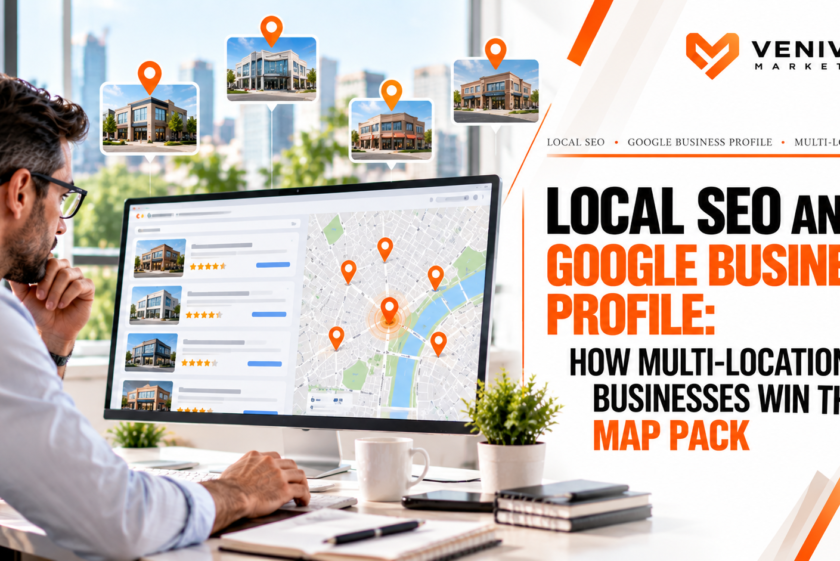
Local SEO and Google Business Profile: How Multi-Location Businesses Win the Map Pack
When someone searches for a service “near me,” Google usually shows three businesses in a map box at the top of the results before it shows anything else. That block is often called the map pack or local pack, and for many service businesses it is the most valuable real estate on the internet. It sits above traditional organic listings, shows ratings and hours, and offers one-tap calling and directions.
For a single-location business, winning the map pack is challenging. For a business with five, twenty or a hundred locations, it is a different kind of problem. Each location competes in its own neighborhood against its own set of rivals. Each needs its own profile, reviews, pages and signals. And every inconsistency, whether a wrong phone number, a duplicate listing or a copy-and-pasted location page, can drag down results at scale.
This guide explains how multi-location businesses can approach local SEO and Google Business Profile management systematically. You will learn how local rankings work, how to structure your profiles and location pages, how to build reviews and citations across locations, how to avoid common multi-location mistakes, and how to measure what is working. It is written for owners, marketing directors and operations leaders of businesses with more than one location or service area. Google changes its local algorithms and profile policies regularly, so verify current guidelines before making significant changes.
How Google Decides Who Appears in the Map Pack
Google has said that local results are based primarily on three factors.
- Relevance: How well a business profile matches what someone is searching for.
- Distance: How far each result is from the searcher’s location, or from the location used in the search.
- Prominence: How well known and trusted the business is, based on information from across the web, such as reviews, links, articles and directories.
Each factor matters for multi-location businesses in a specific way.
Relevance
Relevance comes from complete, accurate and well-matched profile information: categories, services, descriptions, attributes and the content of your website. If a location’s profile is thin or mismatched, it will struggle to appear for the searches you want.
Distance
Distance is the factor you cannot change. It means that a searcher in one neighborhood is most likely to see the locations nearest them. For multi-location businesses, this is actually an advantage. Each location has an opportunity to be the closest option for people around it. But proximity alone does not guarantee visibility if a nearby competitor has stronger relevance and prominence.
Prominence
Prominence is where much of the work lies. Reviews, ratings, links, mentions, citations and overall brand strength all contribute. A business with a large volume of recent, positive reviews and strong web presence tends to outrank a closer but weaker competitor.
The lesson is that proximity opens the door, and relevance and prominence decide who walks through it.
Step 1: Get Your Google Business Profile Foundation Right
Every location should have its own Google Business Profile, and every profile should be complete, accurate and consistent.
Claim and Verify Every Location
Make sure each location is claimed and verified under a business account you control. Do not leave any profile unverified or controlled by a former employee, agency or franchisee. Set up account ownership and manager roles carefully, and keep documentation of who has access. Large brands often use location groups and organization-level management to keep control.
Use Accurate Names, Addresses and Phone Numbers
Your business name, address and phone number (often called NAP) should be identical everywhere: on Google, on your website and across directories. Use the actual business name as it appears in the real world. Adding keywords or location descriptors that are not part of your name violates Google’s guidelines and can lead to suspension or lost visibility.
Use a local phone number for each location where possible, rather than a single central number. If you use call tracking, set the tracking number as the primary and your main local number as an additional number, so your listing information stays consistent across the web.
Choose the Right Primary Category
The primary category is one of the most influential ranking signals. Choose the category that most closely describes your core business at that location, and add relevant secondary categories. Review your competitors’ categories for ideas, and avoid adding categories that do not honestly describe you.
Complete Every Section
Fill out as much as Google allows:
- Business description that explains what you do and who you serve, written naturally
- Services and products with clear descriptions
- Hours, including special and holiday hours, updated promptly
- Attributes such as accessibility, payment options, languages or ownership designations where accurate
- Website and appointment links pointing to the correct location page, not just the homepage
- Photos and videos of the exterior, interior, team, work and products
Profiles with complete, fresh information tend to earn more engagement and trust.
Handle Service-Area and Storefront Locations Correctly
Some locations serve customers at their premises, while others travel to customers. If a location has a staffed storefront where customers visit, it should display an address. If it is a service-area business without a customer-facing location, hide the address and define the service area, following Google’s rules. Do not create fake or virtual office listings to appear in more cities. Google actively targets that behavior, and it can lead to suspensions.
Step 2: Build Strong Location Pages on Your Website
Your website is the other half of local relevance. Each location should have a dedicated page that provides real value to visitors and clear signals to search engines.
What a Good Location Page Includes
- A unique title tag and heading that include the service and the city or neighborhood
- Accurate NAP matching the Google Business Profile
- An embedded map and directions
- Hours of operation
- Services offered at that location, with links to service pages
- Original, useful content about the local team, community and area served
- Local proof such as customer reviews, testimonials, case studies, photos and awards
- Team information for the specific location
- Clear calls to action, including click-to-call and appointment or quote forms
- Local business schema markup with the correct details
- Links to nearby location pages where relevant
Avoid Duplicate and Doorway Pages
A common mistake is to create dozens of nearly identical pages, swapping only the city name. Search engines treat this thin, templated content as low value, and it can hurt performance. Instead, make each page genuinely distinct by including local details, real photos, unique testimonials and information that a resident would find helpful. If you serve a service area but do not have a physical location, create service-area pages only where you can provide real, substantive content.
Structure Your Site Logically
For multi-location businesses, a clear hierarchy helps both users and search engines. A typical structure includes a locations hub page that links to individual location pages, organized by state, region or city. Each location page can then link to relevant service pages. This internal linking distributes authority and helps people find what they need. Our SEO services include this kind of site architecture planning, alongside on-page and technical optimization.
Connect the Profile to the Page
Link each Google Business Profile to its matching location page, and link back from the location page to the profile through an embedded map or review link. Consistent connections reinforce that the two entities are the same business.
Step 3: Reviews at Scale
Reviews are one of the most powerful ranking and conversion factors in local search. They influence how often you appear, how many people click and how many call.
Why Reviews Matter
- Ranking. Review quantity, quality, recency and content are widely considered to influence local visibility.
- Conversion. Searchers compare star ratings and read recent reviews before choosing.
- Keywords. The language in reviews can reinforce relevance for services and neighborhoods.
- Trust. Owner responses show that you are engaged and reliable.
Build a Repeatable Review Process
For multi-location businesses, review generation needs to be systematic, not left to chance.
- Make it easy. Use the direct review link for each location and share it through email, text, receipts, invoices, QR codes or follow-up messages.
- Ask at the right moment. Request a review right after a positive interaction, such as job completion, a successful visit or a resolved issue.
- Train staff. Give every location a simple script and process for asking.
- Automate follow-up. Use software or CRM triggers to send review requests after service.
- Track by location. Monitor review volume, rating and recency for each location, and identify those falling behind.
- Follow Google’s rules. Do not offer incentives in exchange for reviews, do not gate reviews by only asking happy customers, and do not post fake reviews. Violations can result in removal and penalties.
Respond to Every Review
Reply to positive and negative reviews professionally and promptly. Thank people, mention specifics where appropriate, and address complaints calmly and constructively. Take detailed conversations offline. Responses signal to future customers that you care about service. Assign responsibility clearly, whether to the local manager, a central team or an agency, and set a response-time standard.
Handle Negative Reviews Wisely
Negative reviews are inevitable. Resolve the issue where possible, respond without defensiveness, and flag reviews that violate Google’s policies for removal. A steady stream of recent positive feedback dilutes the impact of an occasional bad one.
Step 4: Citations and Consistency Across the Web
Citations are mentions of your business name, address and phone number on other websites, such as directories, industry sites, maps, social platforms and data aggregators. They help confirm that your information is accurate and legitimate.
Priorities
- Core data sources and major directories. Make sure your information is correct on the major platforms that feed other listings.
- Industry-specific directories relevant to your field.
- Local directories and chambers of commerce for each location.
- Consistency. Even small differences, such as “Suite” versus “Ste,” can create confusion, so standardize your format.
Clean Up Duplicates
Duplicate listings, old addresses and outdated phone numbers can split your signals and confuse customers. Audit each location for duplicates, close or merge them where possible, and correct outdated information. This is especially important after a move, rebrand, acquisition or closure.
Use Management Tools Carefully
Listing management software can help maintain consistency across many locations. Choose tools that let you update data centrally and monitor for changes, and remember that you still need to check the most important profiles manually.
Step 5: Content and Activity for Each Location
Google and customers both respond to signs of an active, engaged business.
Google Business Profile Posts
Regularly post updates, offers, events and news for each location. Posts can highlight seasonal services, promotions or community involvement. Keep them relevant and genuine, and use calls to action.
Photos and Videos
Add new photos regularly. Show your team, your work, your storefront and your community involvement. Customer-uploaded photos also matter, so encourage them. Use real images rather than stock photos.
Questions and Answers
Monitor the questions on each profile and respond promptly. Consider seeding common questions with helpful answers where policy allows, and remove or report spam.
Local Content on Your Website
Publish content that is relevant to each location: local guides, case studies, community involvement, events, seasonal advice and neighborhood information. Locally relevant content helps you earn links and demonstrates authority in each market.
Local Link Building
Links from local sources, such as newspapers, community organizations, sponsorships, partners and chambers of commerce, strengthen prominence. Each location can build its own relationships to support both the local page and the profile.
Step 6: Technical and Structural Considerations
Structured Data
Use local business schema on each location page to communicate your name, address, phone number, hours, department and other details in a machine-readable format. Ensure the details match the visible content and the Google profile.
Mobile Experience and Speed
Most local searches occur on mobile devices. Make sure location pages load quickly, display well on small screens, and make it easy to call or get directions with one tap.
Tracking and Attribution
Set up tracking so you can measure the impact of local efforts.
- Use UTM parameters on the website links in each Google Business Profile.
- Track calls, direction requests and website clicks from profiles.
- Use call tracking thoughtfully so it does not create NAP inconsistencies.
- Connect form fills and calls to your CRM by location.
Accurate tracking allows you to compare locations, spot weak performers and prove return on investment.
Managing Multiple Locations Without Losing Control
Scaling local SEO is largely a governance challenge. Consider the following practices.
Create Standards and Playbooks
Document how profiles should be set up, how names and categories are chosen, how photos and posts are handled, how reviews are requested and how issues are escalated. A playbook keeps quality consistent as locations are added.
Define Roles
Decide who owns what: central marketing, local managers, franchisees or an agency. Clarify who can edit profiles, respond to reviews, approve posts and handle suspensions. Ambiguity leads to neglected profiles or conflicting changes.
Centralize Where It Helps, Localize Where It Matters
Central teams are good at consistency, data accuracy, reporting and tools. Local teams are best at authentic photos, community relationships, reviews and timely updates. The strongest programs combine both.
Monitor for Changes
Google and the public can suggest edits to your profiles. Monitor for unwanted changes to hours, phone numbers, categories or names, and correct them quickly. Set up alerts and periodic audits.
Plan for Openings, Moves and Closures
When you open a new location, claim the profile early, verify it, build the page and start collecting reviews. When you relocate or close, update or mark the profile properly, redirect or update the web page and correct citations. Mishandled transitions can cause lasting confusion.
Common Multi-Location Local SEO Mistakes
- Duplicate or thin location pages that add no local value
- Inconsistent NAP data across profiles, website and directories
- Keyword-stuffed business names that violate guidelines
- Fake or virtual locations created to appear in more cities
- Ignoring reviews or failing to respond
- One central phone number for every location
- Linking every profile to the homepage instead of the correct location page
- No tracking by location, making it impossible to see what works
- Poor account access control, leading to lost or orphaned profiles
- Neglecting profiles after setup, with no fresh photos, posts or updates
- Focusing only on rankings rather than calls, visits and revenue
How to Measure Success
Track both visibility and business outcomes for each location.
Visibility metrics
- Map pack and local organic rankings for priority keywords
- Geo-grid rank tracking, which shows how visibility varies across a service area
- Google Business Profile impressions and searches
Engagement metrics
- Calls, direction requests, website clicks and messages
- Review volume, rating and recency
Business metrics
- Leads and appointments by location
- Cost per lead and conversion rate
- Revenue attributed to local search
Compare locations against one another and against goals. A weak location may need better reviews, a stronger page, cleaner citations or more local links.
Local SEO and Paid Search: Working Together
Local SEO and paid search complement each other. Map pack visibility captures high-intent searches at lower ongoing cost, while paid ads can fill gaps, cover new locations quickly and test messaging. Data from ads, such as the queries that generate calls, can reveal opportunities for your organic and profile content. If you are weighing the two, our guide to Google Ads in 2026: budget benchmarks, bidding and where service businesses waste spend explains how to plan paid search alongside your local efforts. Our lead generation service brings these channels together.
A 90-Day Roadmap for Multi-Location Local SEO
Days 1 to 30: Audit and foundation
- Inventory every location and confirm claim, verification and ownership
- Audit NAP consistency, categories, hours and duplicates
- Review existing location pages for quality and uniqueness
- Set up tracking and reporting
- Establish a review-request process
Days 31 to 60: Build and fix
- Correct profile data and complete missing sections
- Rebuild or improve location pages with unique content
- Add schema markup and improve internal linking
- Clean up citations and duplicates
- Launch review generation and response workflows
Days 61 to 90: Grow and refine
- Publish local content and profile posts
- Build local links and partnerships
- Analyze location-level performance
- Adjust priorities based on data
- Document standards and playbooks
Local SEO compounds over time. The first three months lay the groundwork, and results typically build over the following several months of consistent effort.
Frequently Asked Questions
Do I need a separate Google Business Profile for each location?
Yes, if each location is a real business location with staff and customers who visit, or a legitimate service-area business. Each should have its own verified profile with accurate information.
How do I rank in the map pack?
Focus on relevance, distance and prominence: an accurate, complete profile with the right categories, a strong location page, consistent citations, plenty of recent positive reviews and local links. Proximity to the searcher also plays a large role.
Can I put my keyword in my business name?
Only if it is part of your real, legal business name as customers know it. Adding keywords or locations that are not part of your actual name violates Google’s guidelines and can lead to suspension.
How many location pages do I need?
One for each real location, plus service-area pages where you can provide genuine local value. Avoid creating thin or duplicate pages just to target more cities.
How do reviews affect local rankings?
Review quantity, quality, recency and content are widely believed to influence rankings and also strongly affect whether people choose you. A steady, compliant review process is one of the best investments you can make.
Should I use one phone number or different numbers for each location?
Local numbers for each location are generally best. If you use call tracking, keep your main local number listed consistently as an additional number so your NAP data remains consistent.
How long does local SEO take to work?
Some improvements, such as fixing profile errors, can show results within weeks. Broader gains in the map pack typically develop over several months, depending on competition and effort.
Can an agency manage all of my locations?
Yes. Many multi-location businesses use an agency or a mix of central and local management to keep profiles, reviews, pages and reporting consistent while still leaving room for local input.
Final Thoughts
Winning the map pack across many locations requires more than optimizing each profile in isolation. It requires a system: clear ownership, consistent data, strong location pages, a steady stream of reviews, clean citations, local content and measurement that shows what is working. Businesses that build this system can dominate their local markets, one neighborhood at a time.
If you manage multiple locations and want a clear plan to improve local visibility, talk to Veni Vici Marketing. We help multi-location businesses build local SEO programs that generate calls, visits and revenue across every market they serve.
Related reading: Google Ads in 2026: Budget Benchmarks, Bidding and Where Service Businesses Waste Spend | SEO Services | Lead Generation Services
This article provides general information. Google’s local search algorithms and profile policies change frequently. Verify current guidelines before making significant changes.
Content
05-elite-guard-pennsylvania-act-235-explained.md
md